Tabs, tables and the side panel
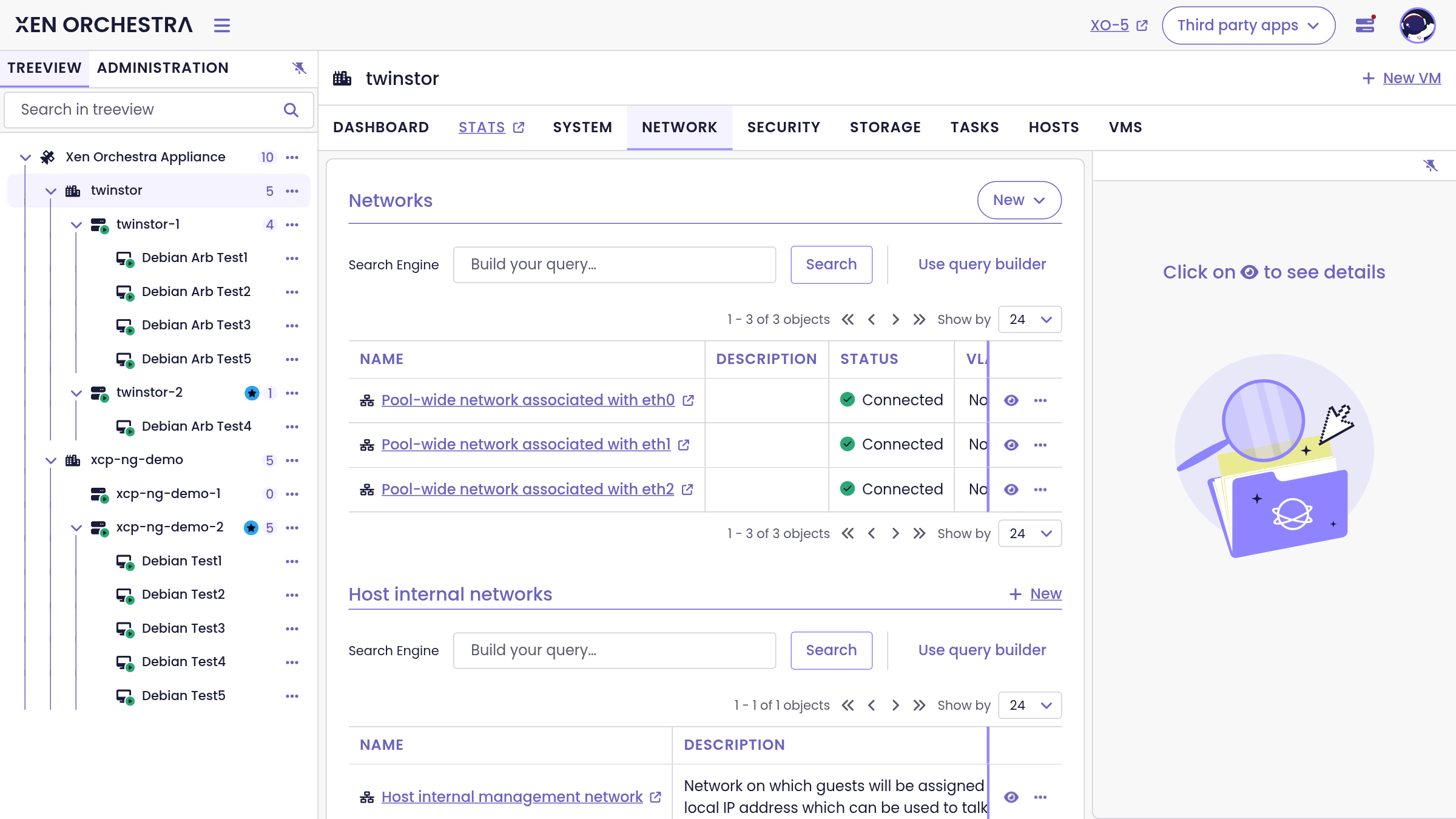
Object pages are organized in tabs. The exact set depends on the object:
| Level | Tabs |
|---|---|
| Xen Orchestra | Dashboard, Backups, Tasks, Pools, Hosts, VMs |
| Pool | Dashboard, Stats, System, Network, Traffic rules, Storage, Tasks, Hosts, VMs |
| Host | Dashboard, Console, Stats, System, Network, Storage, Tasks, VMs |
| VM | Dashboard, Console, Backups, Stats, System, Network, VDIs, Snapshots, Tasks |
Tables (networks, tasks, backup jobs, snapshots and so on) share the same tooling everywhere:
- a Search Engine field with a query builder, to filter large tables precisely,
- pagination controls,
- an eye icon per row that opens the side panel with the details of that row, so you never lose the context of the list.
Was this page helpful?