What's new in XO 6
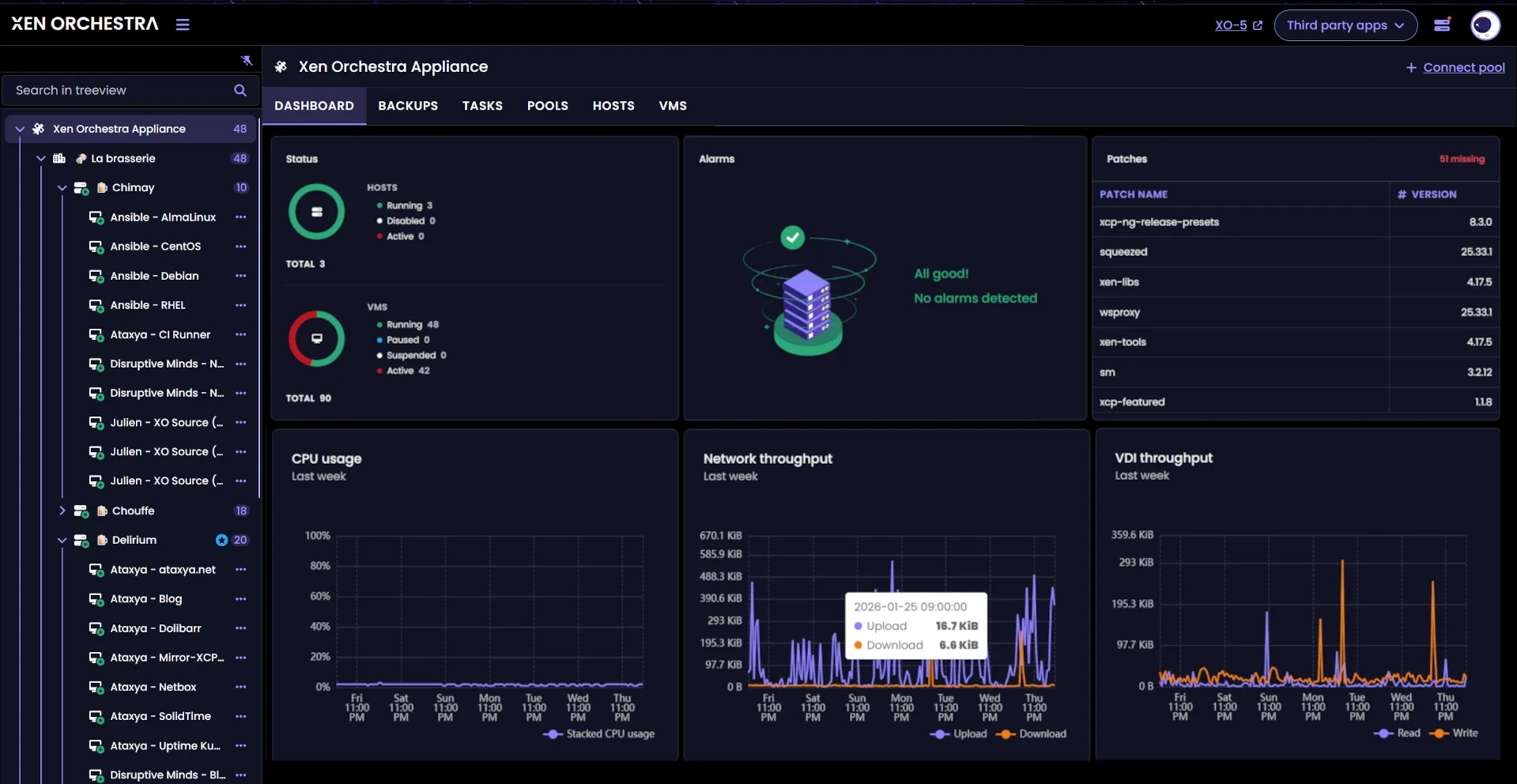
XO 6 is a complete redesign of the Xen Orchestra interface, built as a modern web application on a dedicated design system. It is not a reskin of XO 5: the navigation, the information architecture and the visual language were rebuilt from scratch around how infrastructures are actually operated.
Highlights
- A tree view of your whole infrastructure: every pool, host and VM in one always-visible, searchable tree. No more jumping between list pages to find an object.
- Dashboards at every level: Xen Orchestra, pool, host and VM each open on a dashboard that summarizes status, alarms, patches, resources and backup health at that scale.
- Consistent pages: every object follows the same tab pattern, every table has the same query builder and details side panel. Learn one page, know them all.
- First-class consoles: VM and host consoles in the browser, with fullscreen, a chrome-less dedicated tab mode and Ctrl+Alt+Del.
- Make it yours: light and dark color modes, five interface themes, and 21 languages.
- Task visibility: a Tasks tab at every level records operations, API calls and authentications with their outcomes.
- Backup awareness everywhere: protection status is visible from the global dashboard down to each VM, including the VMs that no job protects.
- Side-by-side with XO 5: both interfaces run on the same Xen Orchestra and the same data. Anything not yet in XO 6 is one clearly marked click away.
An interface that grows release by release
XO 6 reached its first official release with a deliberately focused scope, and new capabilities are added continuously: more actions on objects, user management, backup features and more. The XO 6 vs. XO 5 page tracks what lives where today, and the best way to see what is new is simply to keep your Xen Orchestra up to date.
To explore the interface, start with Getting started.
Was this page helpful?